Mini Project – Frog Jump

11 November, 2026
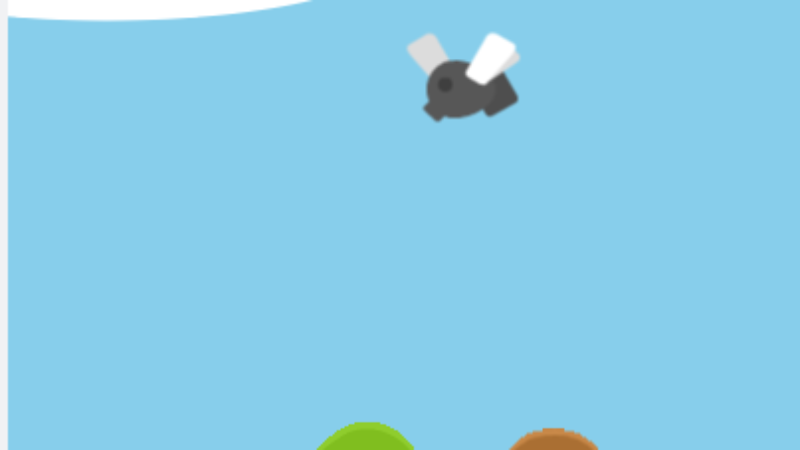
Ini full sourcecode nya:
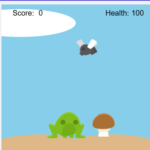
// Create the sprites
var mushroom = createSprite(450, 325);
mushroom.setAnimation("mushroom");
mushroom.velocityX = -5;
var frog = createSprite(175, 325);
frog.setAnimation("frog");
var fly = createSprite(475, randomNumber(50, 350));
fly.setAnimation("fly");
fly.velocityX = -7;

//create the variables
var score = 0;
var health = 100;

function draw() {
  // create the background
  background("skyblue");
  noStroke();
  fill("white");
  ellipse(50, 50, 300, 50);
  ellipse(50, 50, 275, 50);
  ellipse(50, 50, 300, 75);
  ellipse(50, 50, 300, 25);
  fill("burlywood");
  ellipse(100, 400, 300, 100);
  ellipse(300, 400, 300, 100);
  // if the frog touches the mushroom
  // the health goes down, and the mushroom turns
  if (frog.isTouching(mushroom)) {
    mushroom.rotation = 30;
    frog.velocityX = 0;
    health = health - 1;
  } else {
    mushroom.rotation = 0;
  }
  // if the frog touches the fly
  // the score goes up, the fly resets
  if (frog.isTouching(fly)) {
    fly.x = randomNumber(420, 480);
    fly.y = randomNumber(50, 350);
    score = score + 1;
  }

  // if frog is on ground,
  // jump if user presses up arrow, otherwise stop.
  if (frog.y >324) {
    if(keyWentDown("up")){
      frog.velocityY = -5;
    } else {
      frog.velocityY = 0;
    }
  }
  // if the frog reaches the top of the jump
  // go back down
  if (frog.y < 150) {
    frog.velocityY = 5;
  }
  // if the mushroom has gone off the left hand side of the screen,
  // move it to the right hand side of the screen
  if (mushroom.x < -30) {
    mushroom.x = 430;
  }
  // if the fly has gone off the left hand side of the screen,
  // move it to the right hand side of the screen
  if (fly.x < -30) {
    fly.x = randomNumber(420, 480);
    fly.y = randomNumber(50, 350);
  }

  // display scoreboard
  fill("black");
  textSize(20);
  text("Score:", 30, 30);
  text(score, 100, 30);
  text("Health:", 280, 30);
  text (health, 350, 30);


  drawSprites();

  // if health runs out
  // show Game over
  if (health < 0) {
    background("black");
    fill("green");
    textSize(50);
    text("Game Over!" , 40, 200);
  }


}